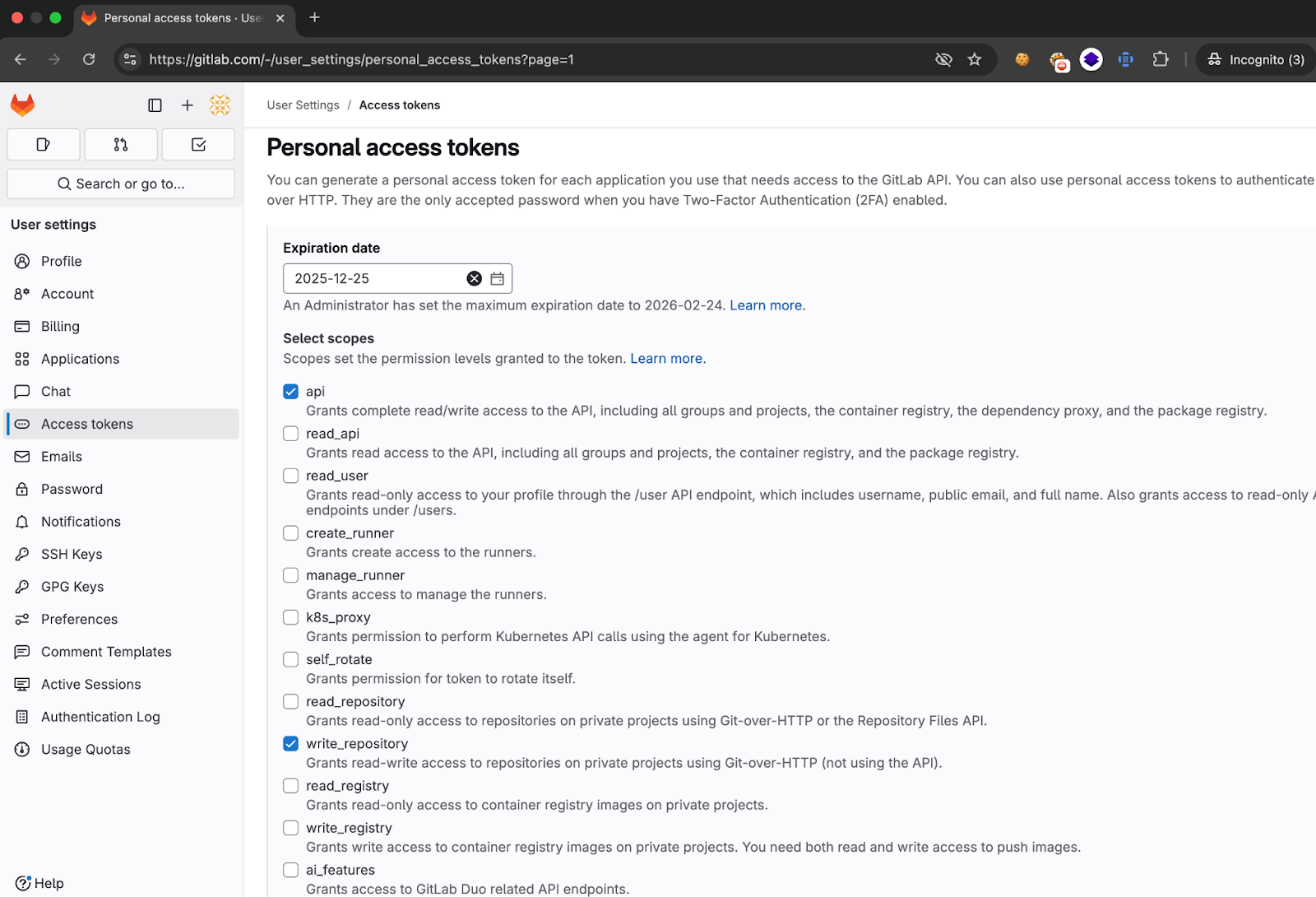
On GitLab.com, open Personal access tokens. For a self-managed installation, sign in to the GitLab server that hosts your repository and open the personal access token settings in your profile.
If GitLab offers a choice of token types, select Generate token > Legacy token. Choose the scopes you need.
api: Required for posting merge request comments in CI/CD. It includes API read/write access and repository access.write_repository: Allows Git pushes, but does not authorize REST API access. You do not need to add it separately for reading source code or posting CI comments.
For a read-only connection, check which scopes, such as read_api and read_repository, your installation requires. Enter a name in Token name, set an expiration date, and generate the token. Store it securely before leaving the page.